You open your journal after a long day, remember six things at once, and close it before writing a word. A good AI journaling app can make that first minute easier. Speak a rough thought, answer one question, or start with a photo and tell the story behind it.
Looking ahead to 2027, the second reason to try AI is what happens after you have written for a while. Maybe you explain away the same worry on three different Sundays. Maybe the days you describe as calm have something in common. A journal with history search or weekly reviews can help you find those entries and decide what the connection means to you.
We make Ying Journal. For this guide, we compared the features documented by each app’s developer as of November 2026, focusing on how you start an entry and what you can learn when you read it back.
Which AI journal should you try first?
Start with the part of journaling you tend to put off. If you rarely finish an entry, choose the easiest way to capture one. If you already write often, choose a tool that can help you find examples across your archive.
- For speaking your thoughts and getting a reply, start with Ying Journal.
- For recurring themes and emotions across entries, try Mindsera or Rosebud.
- For asking your journal a specific question, try Reflection.
- For a multimedia diary with AI as an option, consider Day One Gold.
Ying Journal for speaking first and reflecting afterward
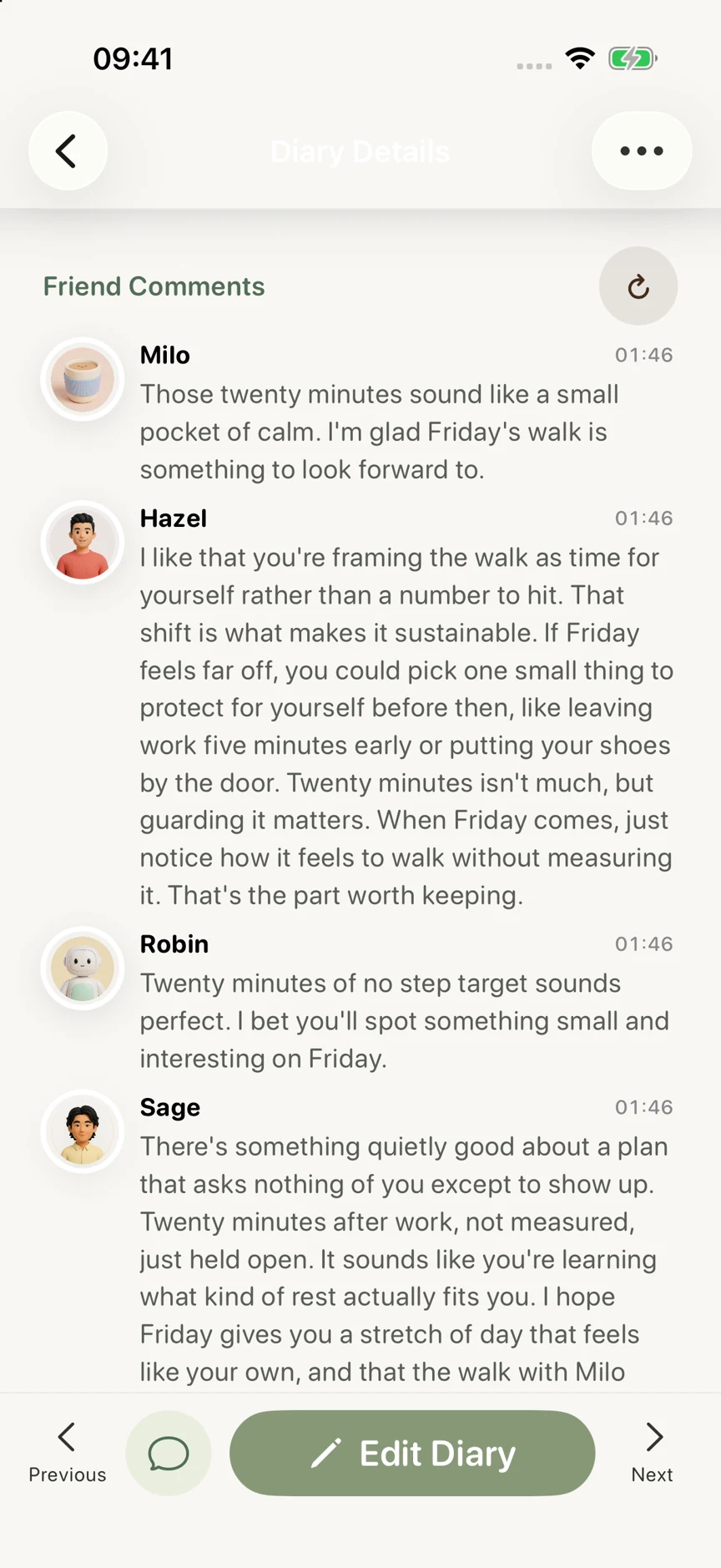
On iPhone, open Speak and describe a moment in your own words. Ying Journal turns your speech into text you can correct before saving. That works well when the story comes out naturally aloud but feels like a chore to type.
AI virtual friends can respond to your entry from different perspectives. Keep talking with one of them to explore a detail you skipped over. If you wrote that canceling plans felt like a relief, try asking which part of the plans you were relieved to avoid. Ying Journal’s strength here is a closer look at the entry in front of you.
Rosebud for guided writing and weekly reviews
Rosebud lets you type or speak and offers follow-up questions as you reflect. That gives you somewhere to go after a first line like “I was irritated all day,” especially when you’re unsure which moment set the tone.
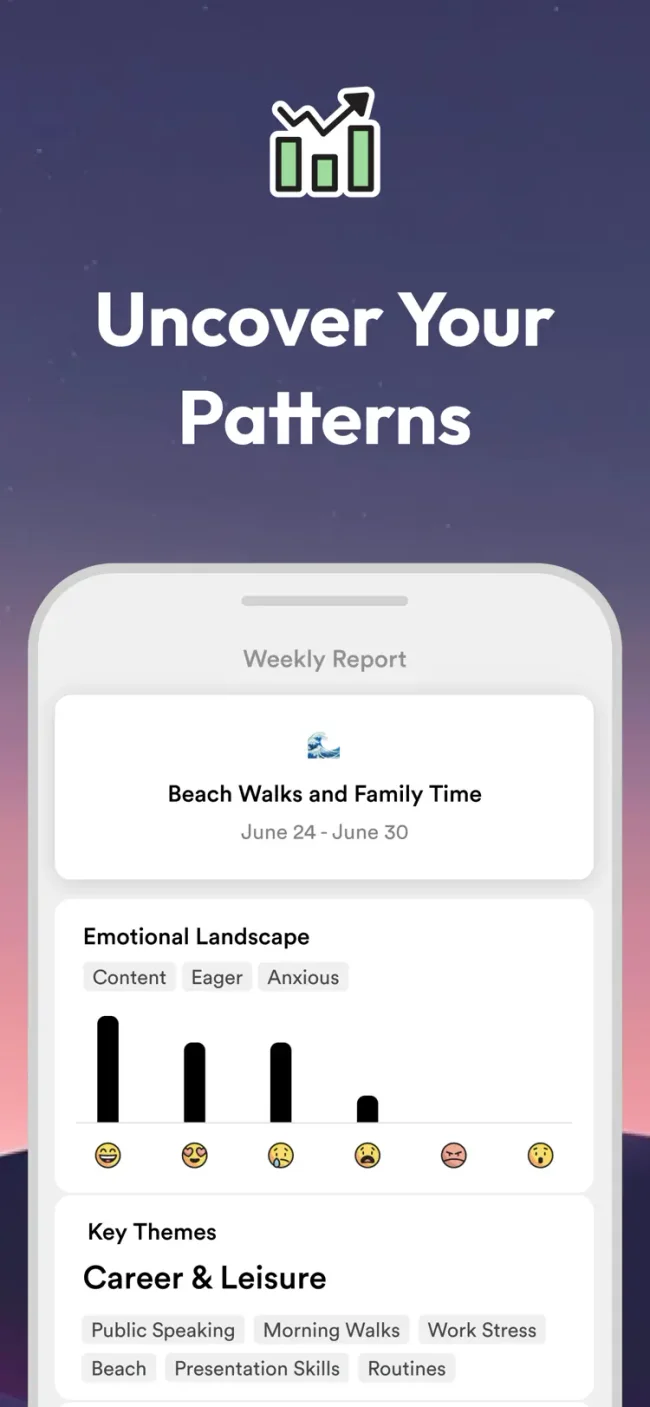
Its weekly report looks across entries for themes and emotional trends. If a report keeps bringing up work conversations, reread the entries and see whether the common thread is the people, the timing, or something you expected of yourself.
Mindsera for spotting recurring topics and emotions
Mindsera gives you writing frameworks when you need structure, voice transcription when you would rather speak, and a paid Call Mode for a spoken back-and-forth. It suits people who already have a question or decision they want to think through.
Its Deep Analysis tools show recurring topics and changes in the emotions detected in your writing. If a theme such as “lack of time” comes up often, review what you meant in different entries. The actual problem might be overloaded mornings in one entry and slipping deadlines in another.

Reflection for asking questions about your past entries
Reflection’s AI Coach can ask a follow-up inside the entry while you write. There’s also a voice call mode that saves a transcript, so you can keep a record of what you said.
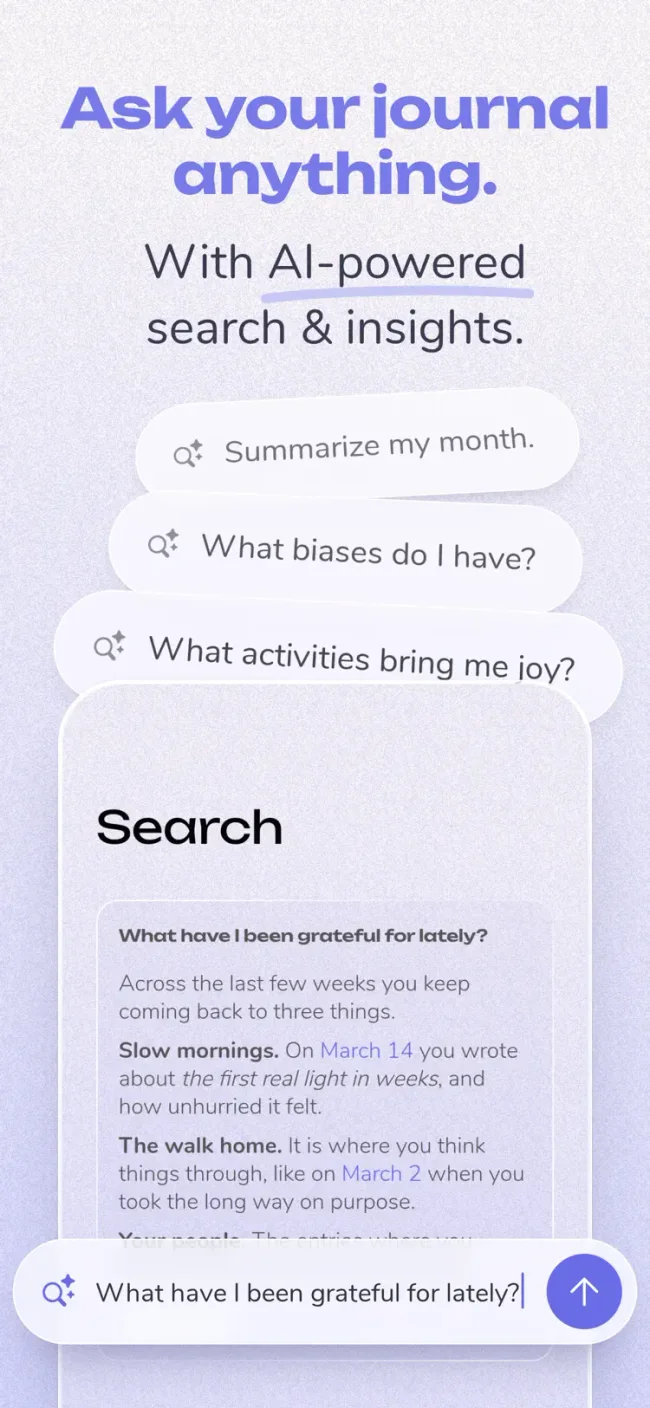
Ask Your Journal searches your history in plain language. Try “When did I start writing about needing a change at work?” and use the answer to find entries worth revisiting. This is especially useful when your first memory of an event has started to blur.
Day One for a multimedia journal with optional AI
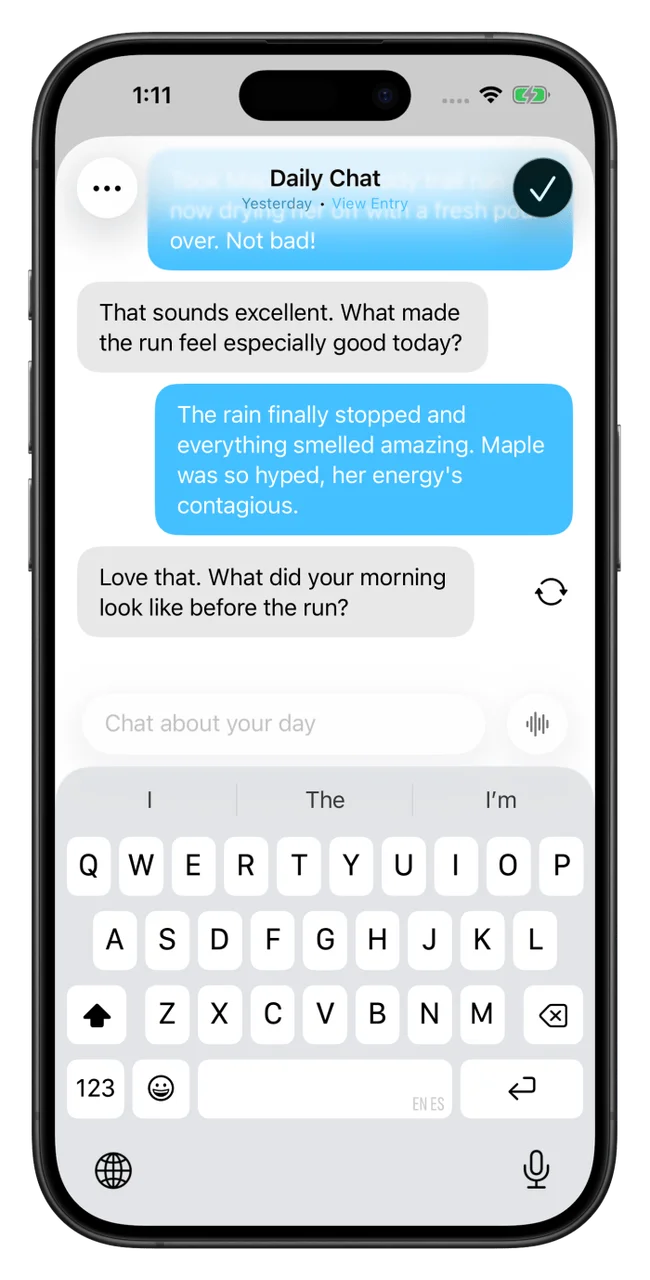
Day One works well if you already keep a diary with photos, recordings, and longer entries. With the Gold subscription, Daily Chat asks questions about your day and turns the conversation into an entry you can edit.
Gold also includes Go Deeper prompts and entry summaries. Daily Chat can remember themes you’ve discussed with it. If you mainly want to write freely and bring in AI occasionally, you can use the journal on its own and turn on the AI tools when you need them.
Stoic for a short morning and evening routine
Stoic is a good fit if a few check-in questions feel easier than a blank page. Its daily routines give you a place to record your mood, write a little, and come back later.
On compatible Apple devices, its on-device AI can use recent entries to suggest prompts and help find related reflections. Pair that with the mood history to investigate a small question, such as what you wrote on the evenings you felt most settled.
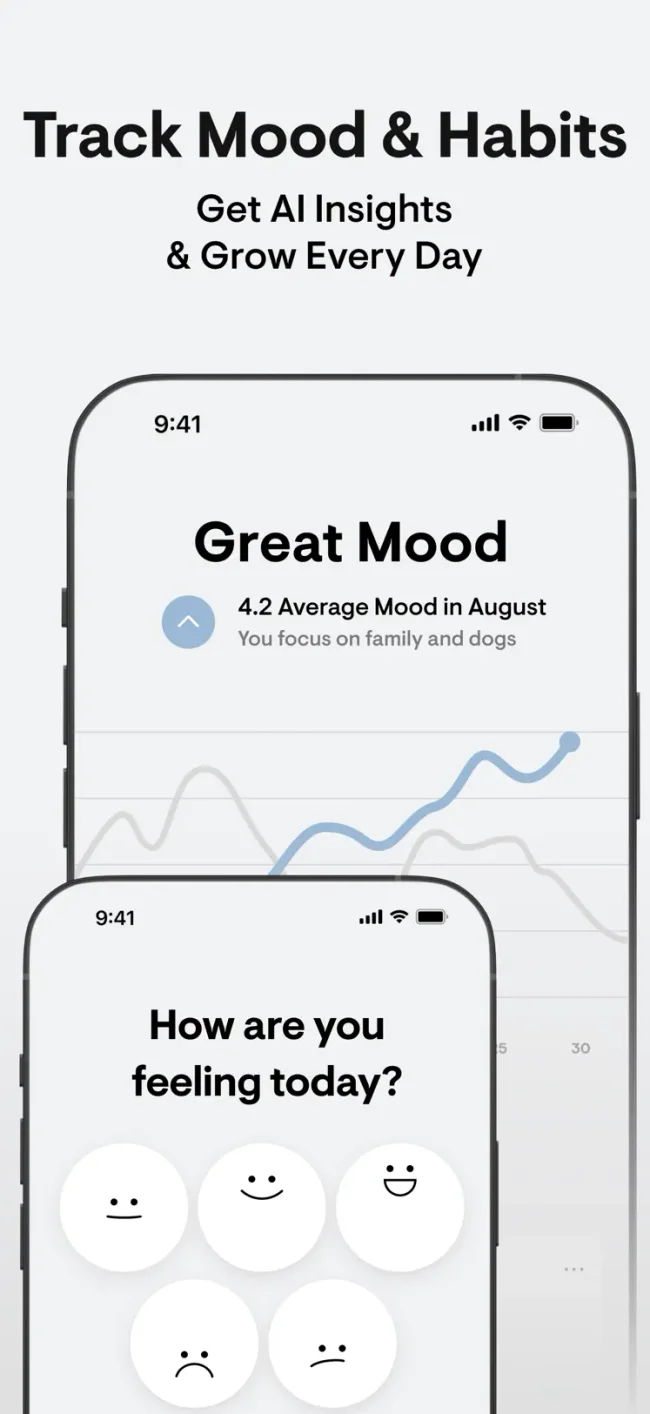
Journey for revisiting the stories behind your photos
Journey combines a journal, a calendar, and a photo archive. Its AI companion, Journey Pal, lets you chat by text or voice and turn a conversation into a memory you can save.
The companion can bring back conversations and photos you shared earlier. Try revisiting a holiday or a familiar place and comparing how you described it at different times. The useful part is getting back to your own account of the experience.

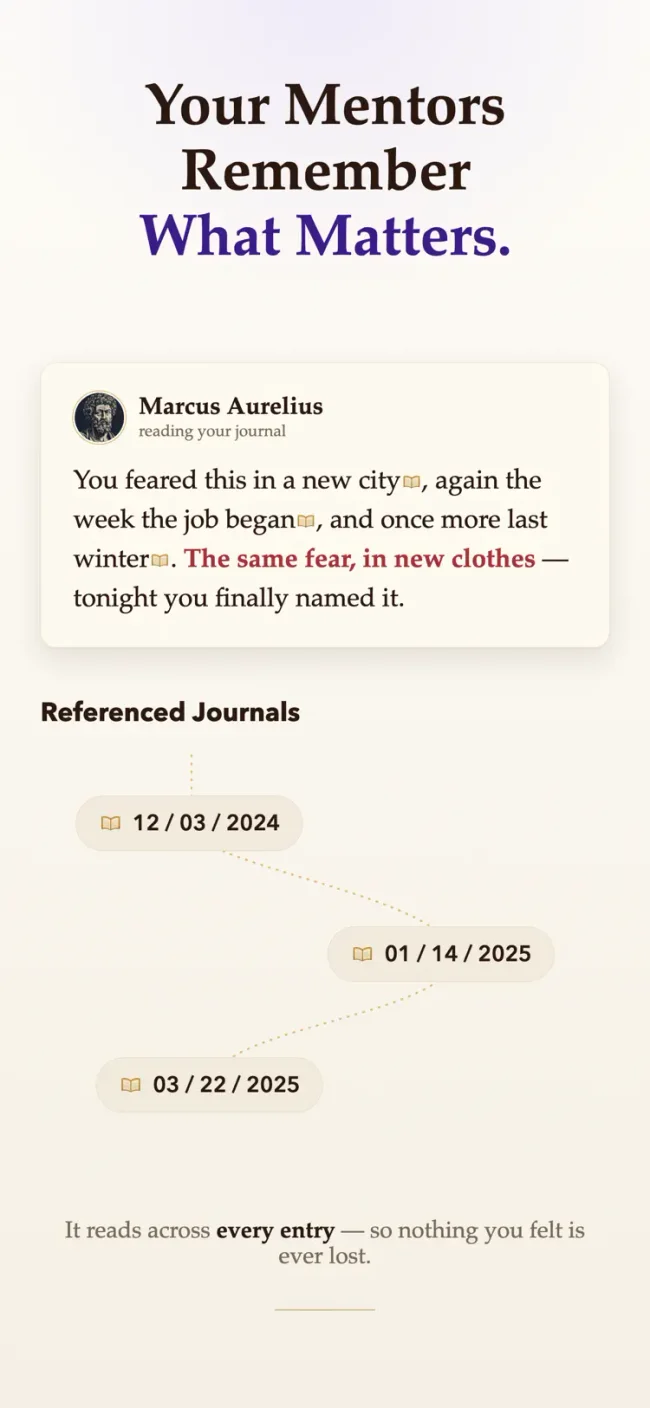
Life Note for looking at an entry from several perspectives
Life Note turns typed or dictated entries into a conversation with AI mentors inspired by writers, philosophers, and other public figures. You can ask different mentors about the same moment and see which questions help you examine it more clearly.
Its AI can connect a new entry to older reflections. If you keep writing “I should have said something,” use those earlier entries to compare when you stayed quiet and what you wanted to say each time.
Dayora for short entries that get a response
A sentence or a quick voice entry is enough to start in Dayora. Its reply can reflect back what you wrote, offer a different reading of the moment, or give you a question to continue with.
Dayora also offers summaries and longer-term insights. If an observation about when you feel rushed seems familiar, check which days support it. Read Dayora’s privacy policy before using it for sensitive entries. The company says it and its providers may use journal content for AI training.

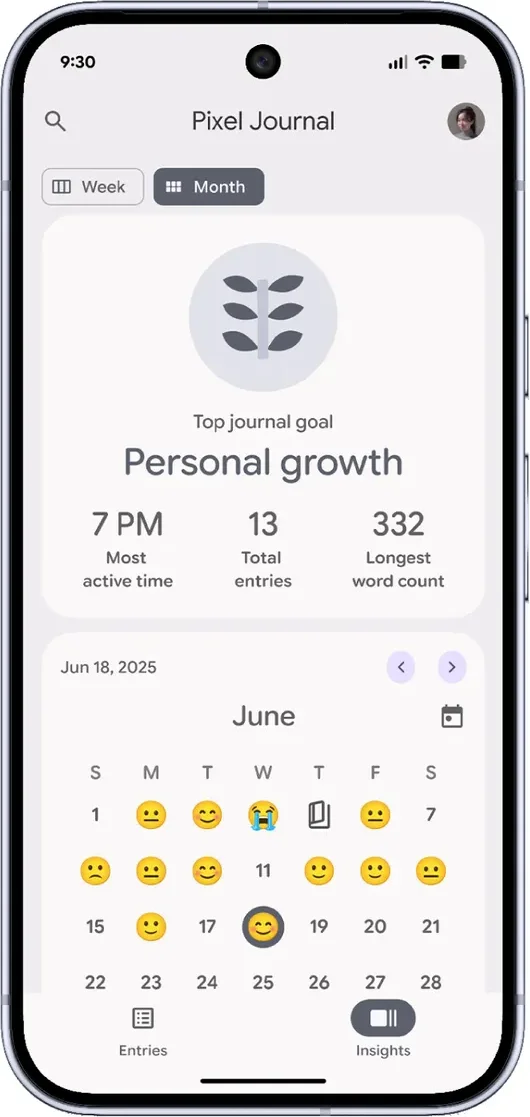
Pixel Journal for writing prompts and mood trends on Pixel
On supported Google Pixel phones, Pixel Journal offers an AI writing suggestion while you draft and can bring back topics from earlier entries. It can also respond with a short reflection after you write.
Mood ID can suggest an emoji for an entry, and the Insights screen shows mood trends over time. If the chart seems to tell a story about your week, read a couple of the original entries alongside it. Google lists its AI features for Pixel 9 and later, including supported Fold models, in English, German, and Japanese.
How to check whether an AI insight holds up
Keep a few short entries across two weeks. Include an ordinary day and a good day as well as the days that send you straight to your diary. Otherwise, a weekly summary can make a rough patch look like your usual state of mind.
When an app points out a pattern, ask for examples or find the entries yourself. Look for one that complicates the story. If an AI says you’re always drained after social plans, a Sunday lunch you enjoyed might narrow the question to late evenings or last-minute invitations.
Before giving an app access to a longer diary, check what the AI receives, whether your writing can be used for model training, and whether you can export and delete your entries.
What do I assume will happen in these entries? Find two examples and one entry where I expected something different.
A small start, today.
Try one app for two weeks. Notice how often you actually write, then see whether its questions or summaries help you find something worth rereading.

A LITTLE PLACE FOR YOUR EVERYDAY
Try a one-minute voice diary in Ying Journal.
Speak about one moment, review your words, and ask an AI friend about a detail you’re still thinking about.