
YING JOURNAL · VIRTUAL FRIENDS
AI journal friends.Your day, shared.
Ying Journal’s virtual friends are AI companions with different personalities. They respond to your diary entries, and you can continue the conversation with a follow-up question.
 See how it works
a few words, a little company
A LITTLE LOOK INSIDE
A diary entry can begin a conversation.
Write or speak about a moment from your day. Read how a virtual friend responds, then follow the thought a little further if you want to.
Begin with your diary
Keep a moment in an entry: what happened, what stayed with you, or something you are still thinking about. You can type the entry or start with voice input.
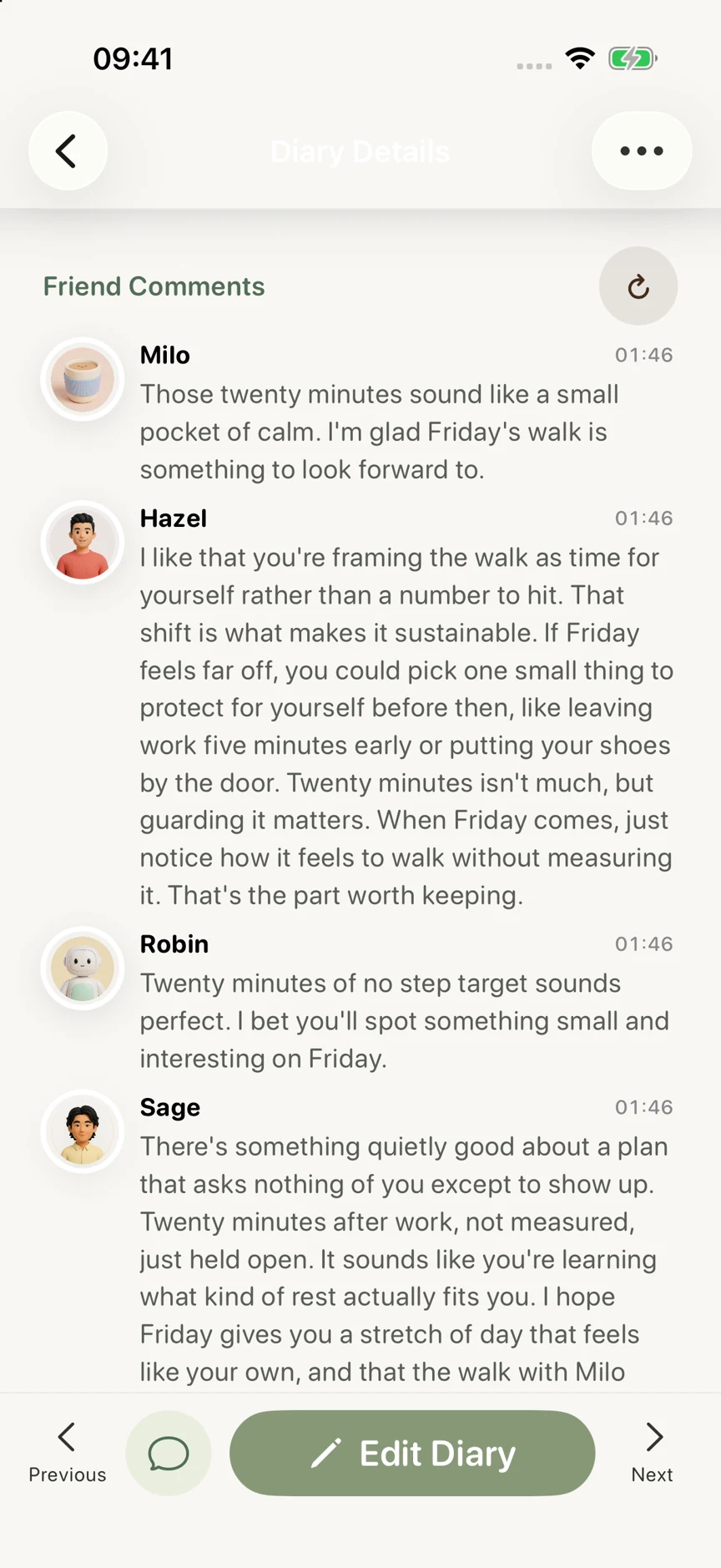
Read a different point of view
Virtual friends have different personalities, so the same entry can receive different responses. The real App screenshot shows Milo, Hazel, Robin, and Sage responding to a plan for a walk after work.
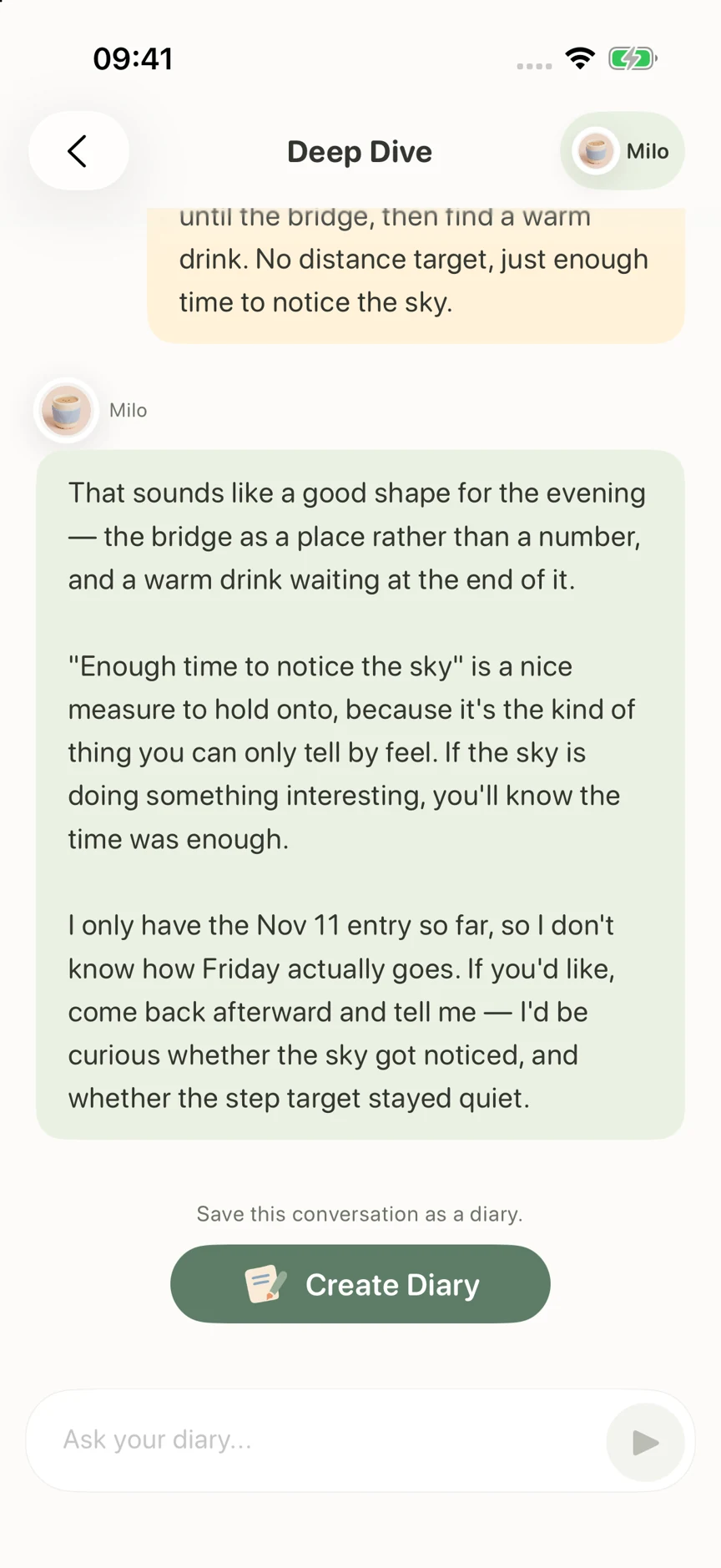
Ask a follow-up question
Continue the conversation with a virtual friend. Add a detail, ask what they meant, or explore the part of the entry you are still thinking about.
A SMALL START
There is more to the story.
“What could I do to make a little more room for that walk next week?”
A few things you might wonder.
What are virtual friends in Ying Journal?
They are AI companions in the app that respond to your diary entries. Each has a personality that shapes the perspective of its replies.
Can I keep talking after a diary response?
Yes. You can continue a conversation with a virtual friend, ask a follow-up question, and add more context about the moment you wrote about.
Do I need to write my entry by hand?
You can type an entry or use Ying Journal’s voice input to turn speech into editable diary text. Both give you a way to put the moment into words.
Give your next entry a little company.
Keep a moment from your day, read a virtual friend’s perspective, and ask a follow-up question.