
YING JOURNAL · VOICE DIARY
Voice journaling.Made for iPhone.
Ying Journal turns speech into editable diary text on iPhone. Speak about your day, review the words, then use the text in a diary entry.
 See how it works
your voice, your diary
A LITTLE LOOK INSIDE
From a spoken thought to a diary entry.
Use voice input when you know what you want to say but would rather speak than type. An ordinary moment is enough to begin.
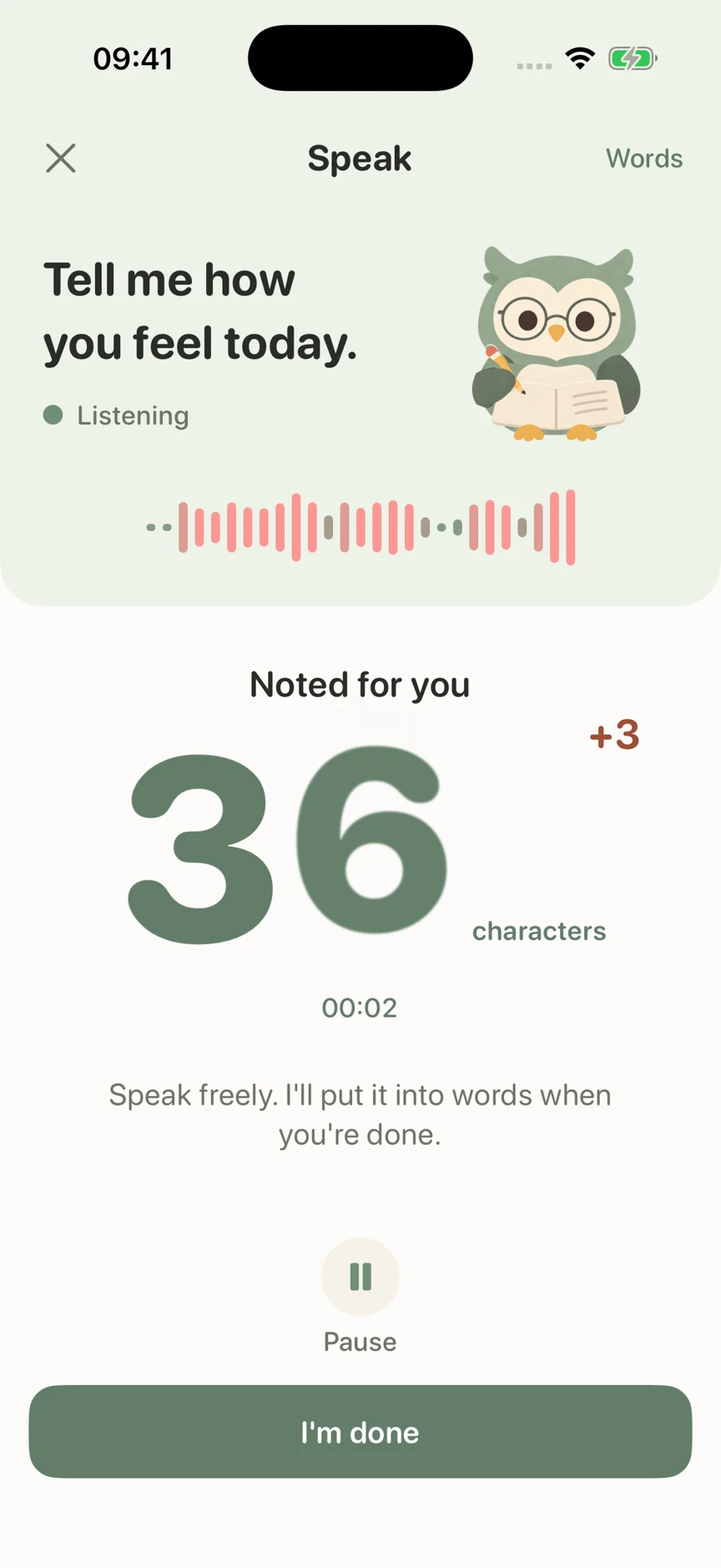
Open Speak and start talking
Say what happened, what you noticed, or how the day felt. Start with one moment, such as a walk home or a conversation you want to remember.
Review and edit the words
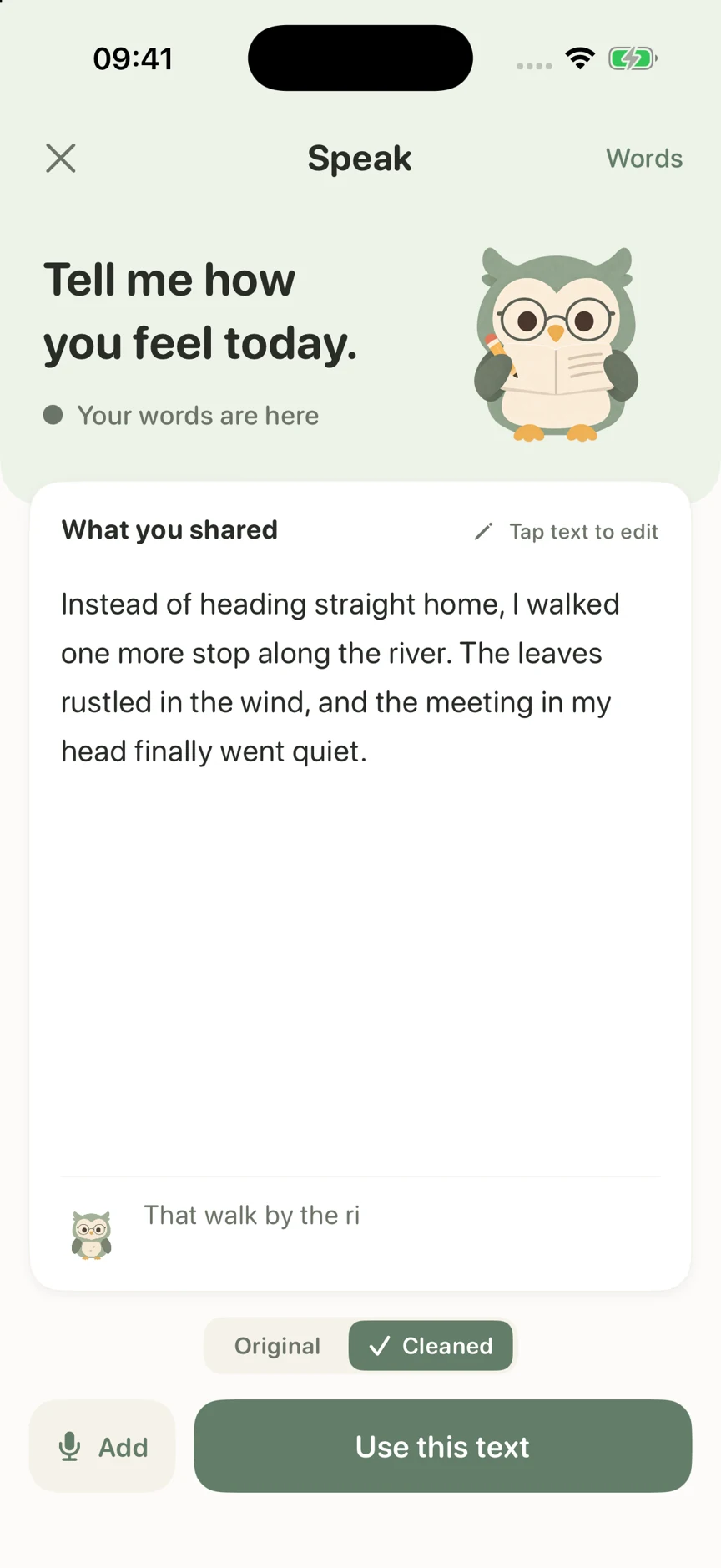
Read the recognized text and correct names or anything that sounds different from what you meant. The review screen lets you switch between Original and Cleaned text and tap the text to edit.
Use the text in your diary
Tap “Use this text” to carry the words into your diary. Review the entry and save it when it says what you want to keep.
A SMALL START
One moment is a lovely start.
“On the way home, I walked one more stop along the river. The leaves were moving in the wind, and I finally stopped thinking about the meeting.”
A few things you might wonder.
What is voice journaling?
Voice journaling means speaking about your experiences instead of typing them. In Ying Journal, voice input becomes text that you can review, edit, and use in a diary entry.
How is this different from an audio diary?
An audio diary keeps a recording to listen to. The Ying Journal workflow shown here turns speech into written diary text, so you can read and edit your entry before saving it.
Can I edit the text before saving?
Yes. On the review screen, tap the text to edit it before choosing “Use this text.” Check names, places, and any wording that changes your meaning.
Do I have to use the cleaned version?
The review screen offers Original and Cleaned text. Read both and choose the version you want to work with before using it in your diary.
Try your first voice entry in Ying Journal.
Speak a moment, review the words, and save a diary entry that sounds like you.